
- Solution Architecture
- project-management
- solution-design
- geo-tech
- business-communication
Building the Tool Was the Easy Part: How a Geohash Tool Spread Beyond the GIS Team
A faster internal tool does not spread by itself. How my geohash tool moved from one team to many: pitch at the moment of pain, demo to managers, trim exports.
Why didn't a faster tool spread on its own?
Because speed only matters to people who already know the tool exists and trust it enough to try. I built a self-service tool that turns a polygon into a list of geohashes, and it cut a request that used to take days down to minutes. That result did not move a single team on its own. What moved them was being shown the tool at the exact moment they were stuck, by someone who could answer their questions on the spot.
The technical side of the tool, its design principles and architecture, is in From 2 days to 5 minutes. This post is about what happened after it worked: how it went from my own team to teams that had never asked for it. The tool is open source, and the code is on GitHub.
Where did the tool start?
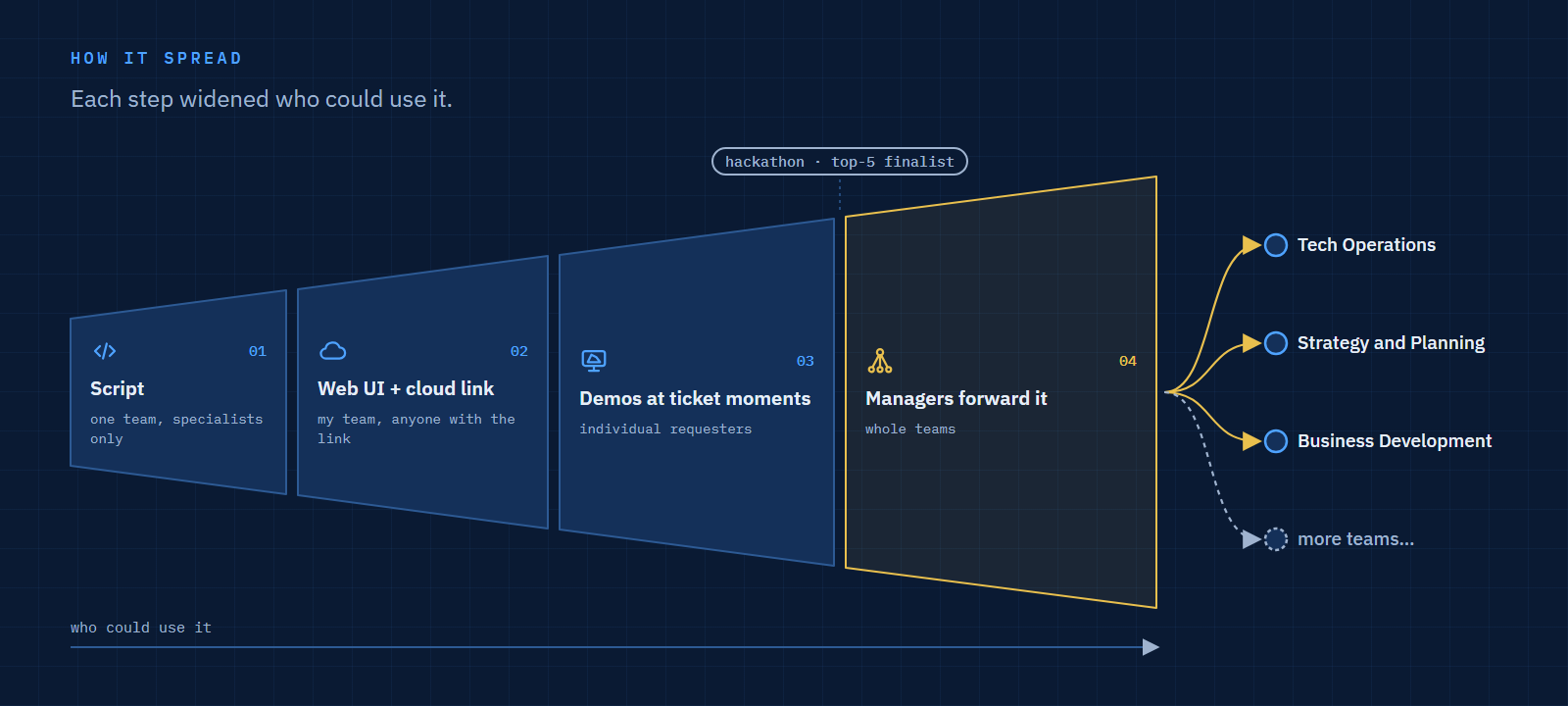
As a script inside my own team. The Map and Product Ops team handled geohash requests that arrived as tickets through an internal portal, from many different divisions. Each ticket meant a specialist running a script, checking the result and sending a list back.
The script was fast. The queue around it was not. As the number of requesting divisions grew, the bottleneck was clearly people, not compute. So I gave the script a simple web interface and deployed it to the cloud, so anyone with the link could use it without installing anything.
Why did a UI and a cloud deployment matter more than speed?
Because they removed the two things that kept non-specialists out: installing software and reading code. A script, however fast, is a tool for the person who wrote it. A link that opens a map, takes a polygon and returns a list is a tool for anyone.
 Open full size
My own team adopted it first, and our turnaround on routine requests improved straight away. That was the moment I could have stopped. The tool worked, my team was faster, and the tickets kept coming. But every ticket that still came in was a sign that the teams who needed geohashes most were still waiting on us.
When did other teams actually start using it?
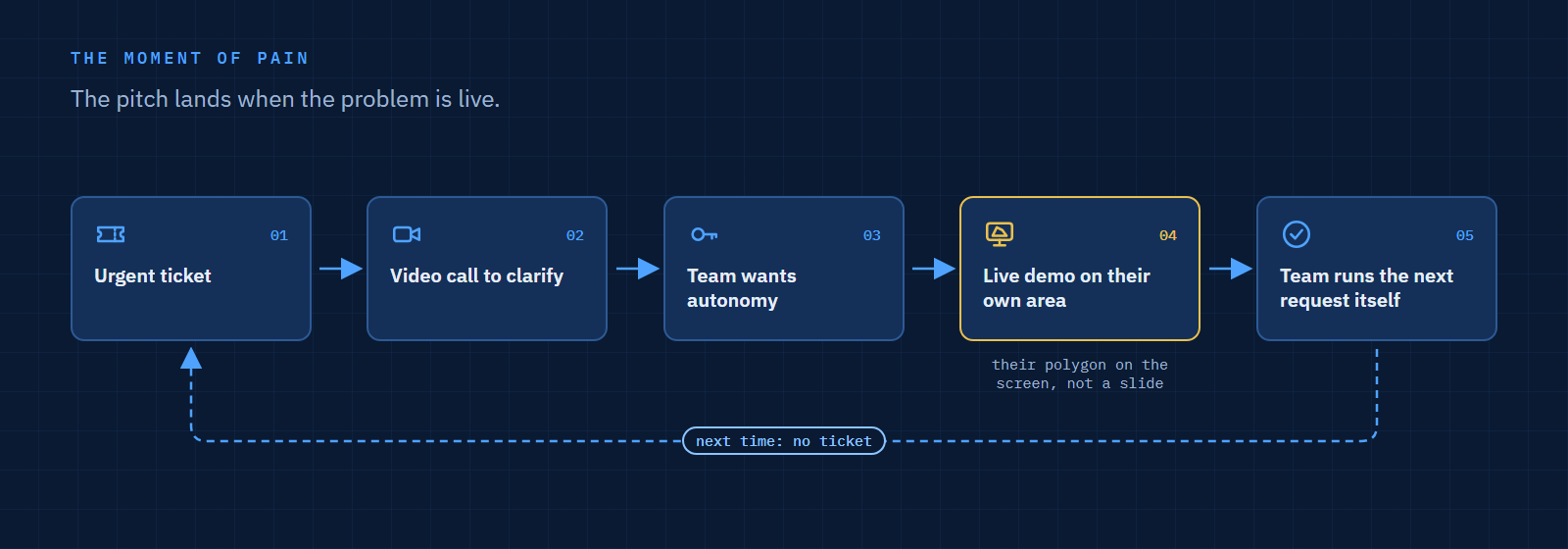
When they had a problem that needed solving that day. Announcements and documentation did little. Adoption happened through a pattern that repeated itself:
- A ticket arrives that the requesting team needs urgently.
- We get on a video call to clarify the request.
- On the call, it becomes clear they would rather not wait for anyone.
- I share my screen and show them the tool, using their own area.
- They run the next request themselves.
 Open full size
The demo worked because it answered the question they already had, with their own polygon on the screen. Nobody needed to imagine a use case.
Why did demos to managers spread it further than demos to users?
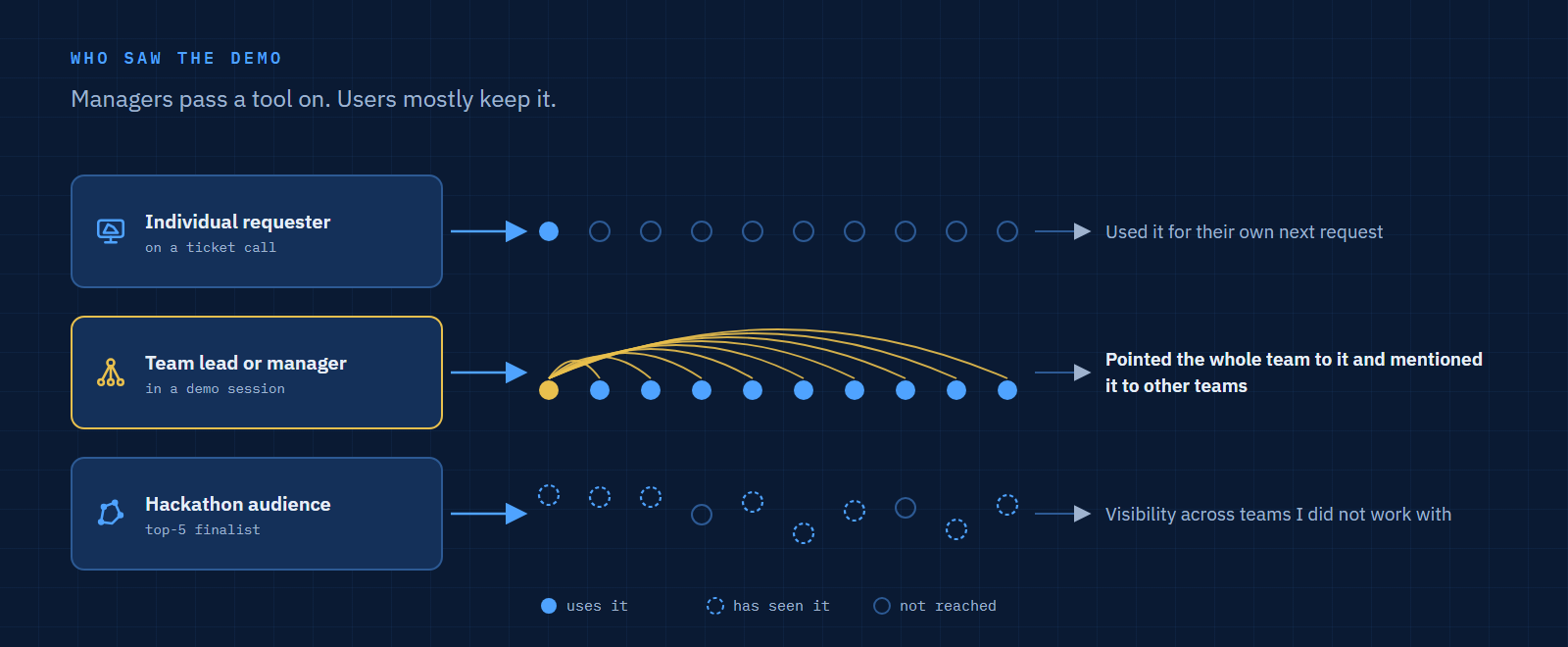
Because managers pass a tool on, while individual users mostly keep it to themselves. Beyond the ticket calls, I demonstrated the tool to Tech Operations, Strategy and Planning, and Business Development, and entered it in an internal Product Ops hackathon, where it finished as a top-5 finalist.
The sessions that reached managers had the largest effect. A manager who sees a tool remove a queue for their team does not just use it; they tell their team to use it, and mention it to peers. After a few of those sessions, the tool was being shared by people I had never presented to.
 Open full size
| Who saw the demo | What happened next |
|---|---|
| An individual requester on a ticket call | Used it for their own next request |
| A team lead or manager | Pointed the whole team to it and mentioned it to other teams |
| A hackathon audience | Visibility across teams I did not work with |
 Open full size
What did real usage teach me?
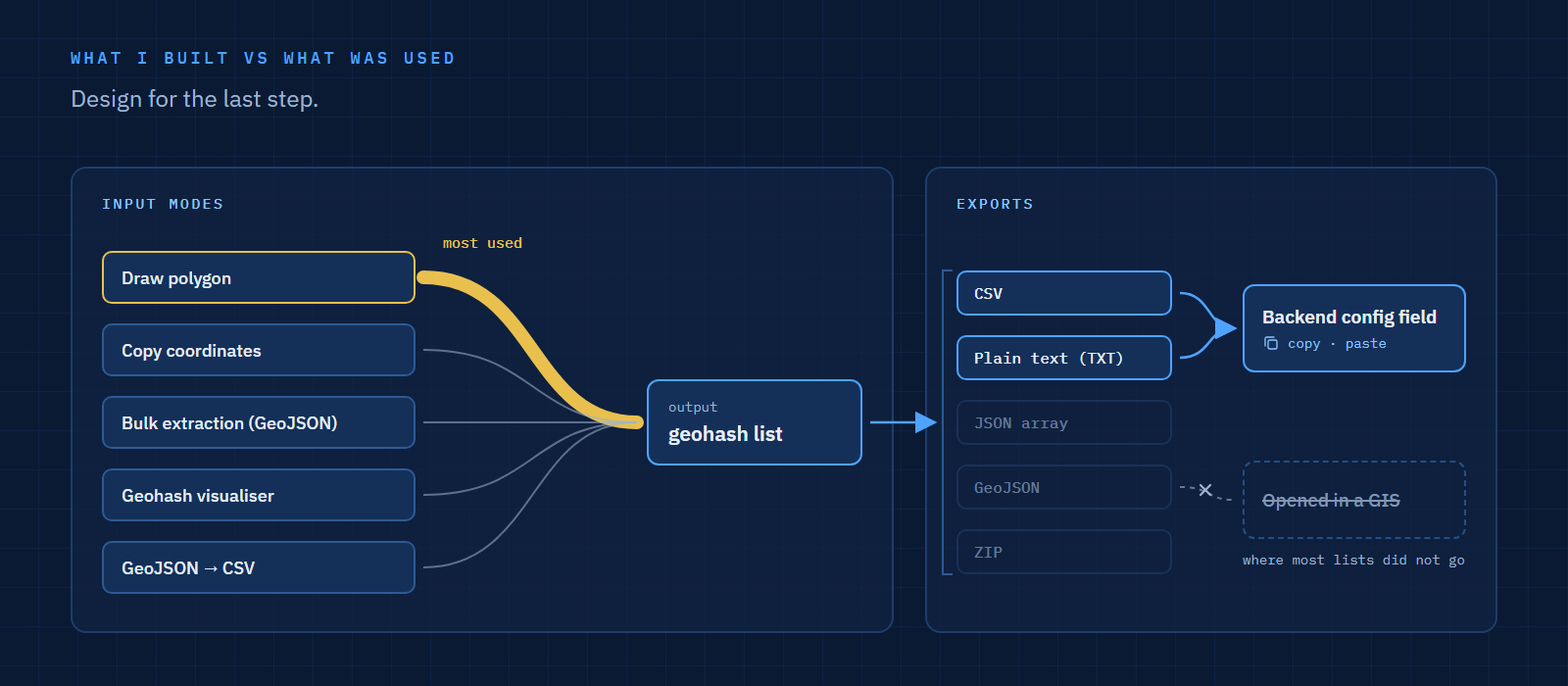
That people use one feature heavily and want the output in the form their next step needs. The tool offered several ways to define an area, but the one used most by far was converting a polygon into geohashes. The other modes still mattered for specific cases, but the main path had to be the fastest.
The bigger lesson was about export. Most geohash lists were going into backend configuration, not into a GIS. Requesters copied the list and pasted it into a config field. So I simplified the exports toward what fit that step: a CSV, or plain text that could be copied and pasted without cleaning.
| What I assumed | What usage showed | What I changed |
|---|---|---|
| Users want many input modes equally | One mode, polygon to geohash, dominates | Kept it the most direct path |
| Users want GIS formats | Most lists go into backend config | Prioritised CSV and plain text for copy-paste |
 Open full size
What about the people who kept asking the GIS team?
They were few, and I did not try to force them. The ones who kept sending tickets did so mostly out of habit, or because they were genuinely non-technical and preferred to ask a person. For them, the old path stayed open.
Forcing every user onto self-service would have traded a small number of tickets for friction with exactly the people least able to absorb it. The goal was to remove the routine queue, and that happened without them.
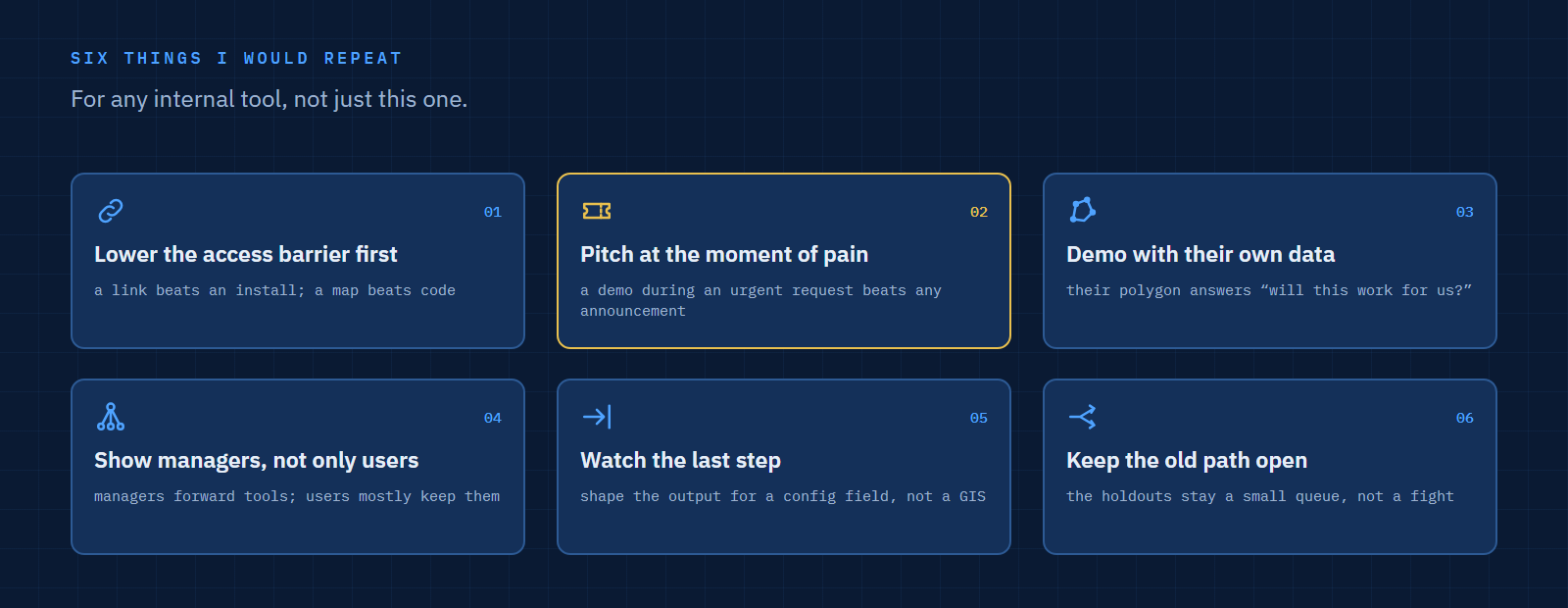
What would I repeat for any internal tool?
- Lower the access barrier before the skill barrier. A link beats an install; a map beats code.
- Pitch at the moment of pain. A demo during an urgent request does more than any announcement.
- Demo with the user's own data. Their polygon on the screen answers "will this work for us?" before it is asked.
- Show managers, not only users. Managers forward tools; users mostly keep them.
- Watch the last step. Shape the output for where it goes next, here a config field, not a GIS.
- Keep the old path open. Let the remaining holdouts be a small queue, not a fight.
 Open full size
FAQ
How do you get people to adopt an internal tool?
Show it when they need it, with their own data, and make it reachable with a link. Then show it to their managers, who are the ones who pass tools on to whole teams.
Should you force everyone onto a self-service tool?
No. Remove the routine queue and keep a human path for the few who need it. Forcing the last holdouts costs more goodwill than it saves time.
What should you measure after launching an internal tool?
Which features are actually used and where the output goes next. In this case the answer reshaped the exports more than any feature request did.
References
- streamlit_geohash_converter, the tool's source code on GitHub
- Geohash Converter, the live app
- From 2 days to 5 minutes: a self-service geohash tool for non-GIS teams, on this site
- H3 vs Geohash: Compute on a Grid, Report on a Boundary, on this site
- Geospatial Product Ops: Between Maps and Business, on this site
Last updated: 4 November 2026.